
Using FedEx Ground Shipping To Create a Parcel Shipping Quote
Will need access to Google Sheet's Shipping Calculator file and have a FedEx company user profile
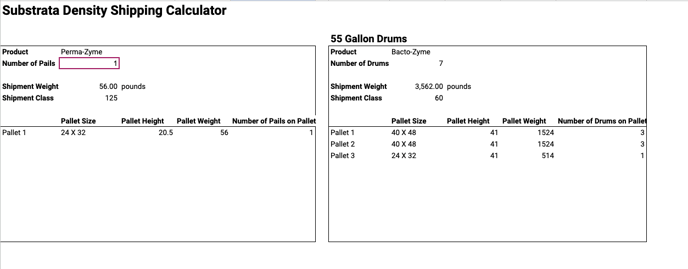 1. Once the weight and Class have been generated by the Shipping Calculator, go to Fedex's website
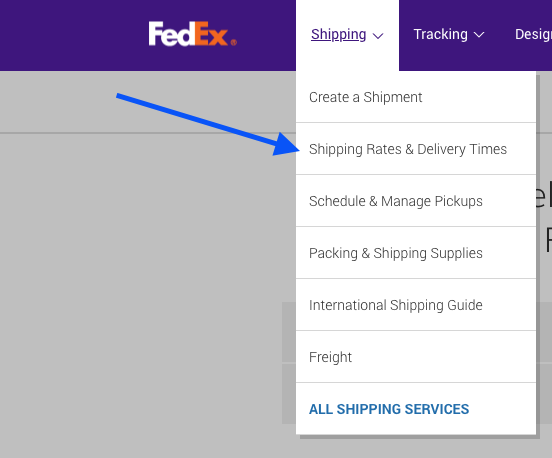
2. Go to Shipping Rates & Delivery Times in the Shipping drop down menu
3. Enter Substrata Zip Code 89011 and Destination Zip Code

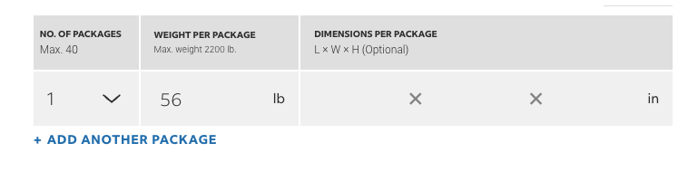
4. Enter Number of Packages and Weight
5. Choose Shipping Date and Click Show Rates
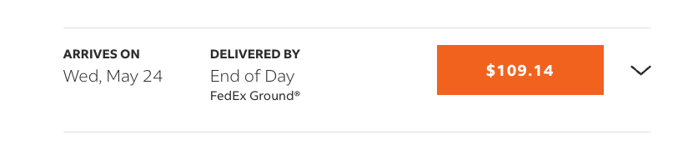
6. Choose FedEx Ground option
7. Go to Shipment Calculator Sheet and in the Shipping Cost Calculator Tab, Enter the amount generated by FedEx's website in the Parcel box
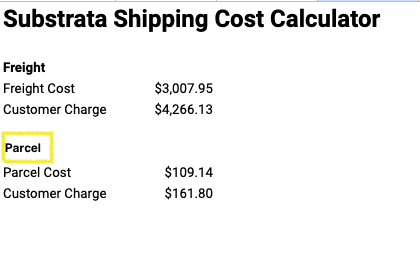
8. The Customer Charge Amount generated by the Calculator and the Transit time generated on the FedEx website is sent to the Salesperson via Slack

The Customer Charge amount provided by the Operations Team is inserted into the formal quote for the customer